Finestra on a Raspberry Pi
Now that Finestra runs on ARM, it runs on the Raspberry Pi in your drawer too, even an old Pi 3 with 1 GB of RAM. No desktop install needed.
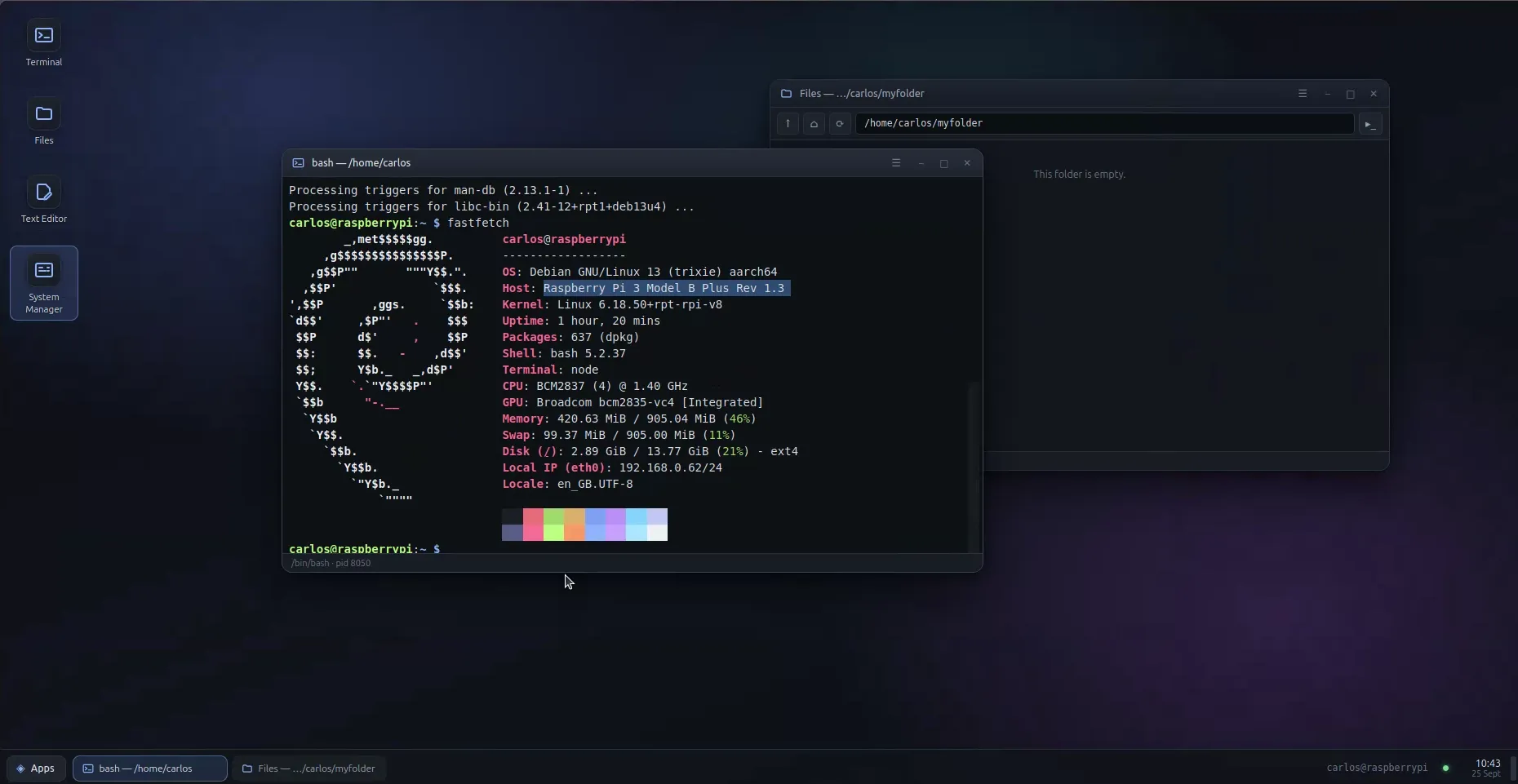
We recently announced that Finestra now runs on ARM, which means AWS Graviton and other ARM servers. That’s the sensible part.
This is the fun part: the Raspberry Pi.
Yes, that one in your drawer
The screenshot above is a Raspberry Pi 3 Model B+. It came out in 2018. It has four modest cores at 1.4 GHz and 1 GB of RAM. Finestra is running on it with a terminal and a file manager open, and the whole machine is using about 420 MB of memory.
It is plugged into the network, and that’s all. No monitor, no keyboard, no mouse, and no desktop installed on it.
You don’t need a desktop on the Pi anymore
The usual way to get a desktop on a Pi is to install one: pick the full Raspberry Pi OS instead of Lite, give up a chunk of that 1 GB to a graphical session nobody is looking at, and then set up VNC so you can see it from another computer.
With Finestra, you skip all of that. Install Raspberry Pi OS Lite, plug the Pi into the network, and install Finestra:
curl -fsSL https://finestra.dev/get.sh | sudo bashThe installer notices it’s on ARM and picks the right build by itself. Then open it from your laptop’s browser, through the SSH connection you already use for the Pi, and you have a terminal, a file manager, a text editor and a system manager with live graphs of the Pi’s CPU, memory and temperature. You can also open it from your phone.
The Pi spends its memory on the thing you actually bought it for, and you still get windows when you want them.
The small print
- You need the 64-bit Raspberry Pi OS. A Pi 3, 4 or 5 can all run it. If you are on the 32-bit version, the installer will tell you so plainly instead of failing in a confusing way.
- Native apps depend on the app. Finestra itself runs fine on ARM, but if you launch a Linux GUI app inside it, that app needs an ARM build too. Most open-source apps have one. Many closed-source ones don’t.
Go dig out that Pi
If you have an old Pi gathering dust, this is a good excuse to plug it back in. Flash a fresh SD card, run the one-liner, and see what it can do. And if you get Finestra running on something even older or odder, I’d love to hear about it.